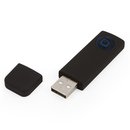
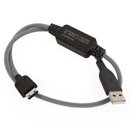
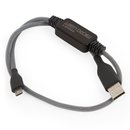
Smart Adaptor
Smart-Clip becomes USB compatible.
Smart Adaptor for Smart-Clip is specially developed by GsmServer team to enable Smart-Clip connection to PC USB. The SmartMoto program starting from the version 3.00, works with the Smart-Clip connected to the LPT port (as usually) or to the USB port, using Smart Adaptor.
Smart Adaptor is approved to be applicable for any Smart-Clip function.
LPT-port is not a crucial requirement any more.
Latest version: v.
1.05
Drivers
Download Smart Adaptor Driver for Windows 98/ME/2000/XP/Vista(32bit).
Download and install SmartMoto (v3.00 or later version) and locate the driver for Smart Adapter in SmartMoto installed directory: __:\Program Files\GsmServer\SmartMoto\drivers\ClipUSB\.
Features:
- Windows 98SE/ME/2000/XP/Vista(32bit) compatible.
- Full compliance with all USB Versions.
- Stable data transfer using USB protocol.
- Offline PDS repair
- Low CPU usage:
- Requires up to 90% less CPU resources while flash reading;
- Requires up to 80% less CPU resources while flashing.
- High speed of data transfer:
- Up to 50% faster then LPT port boost mode flash reading;
- Up to 20% faster then LPT port boost mode on flashing.
- Cord length – 150 cm.
Smart Adaptor installation
- Please download and install SmartMoto v3.00 or later version.
- Connect Smart Adaptor to PC USB port.
- The system detects a new device.
- Please locate the driver for Smart Adapter
- The Smart Adaptor is ready for update.
Smart Adaptor update procedure
- Connect Smart Adaptor to PC USB port.
- Log to Update Zone.
- Log to the Advanced tab.
- Select USB port in "Communication Mode".
- Lot to Smart Adaptor tab.
- Press "Update" button.
- The updater detects the Adaptor serial number.
- The new firmware will be loaded to the device.
- The Smart Adaptor is ready to be used for any Smart-Clip function*.
* Smart Adaptor can be used for Smart-Clip updates as well as for phone flashing, unlocking, repairing etc.
During the first Smart Adaptor Update procedure the system may require the Smart Adaptor driver to reinstalled. In order to do so, please locate the driver again.
Smart-Clip update procedure using Smart Adaptor
- Connect Smart Adaptor and S-Card to PC USB ports.
- Connect Smart-Clip to the Smart Adaptor.
- Power Smart-Clip ON (warning: don’t use battery!);
- Log to Update Zone.
- Log to the Advanced tab.
- Select USB port in "Communication Mode".
- Log to Smart-Clip tab.
- Press "Update" button;
- An ActiveX client should detect Smart-Clip serial, firmware version and S-Card serial, update process begins;
- New firmware is loaded.
Note
If the firmware version of Smart Adaptor is outdated, please update Adaptor before updating the Clip. In order to do so, please press perform Smart Adaptor update procedure before updating the Smart-Clip.
Hardware warranty
6 months
Warranty starts when Smart Adaptor is updated for the first time.
|